

Collect email addresses from your page
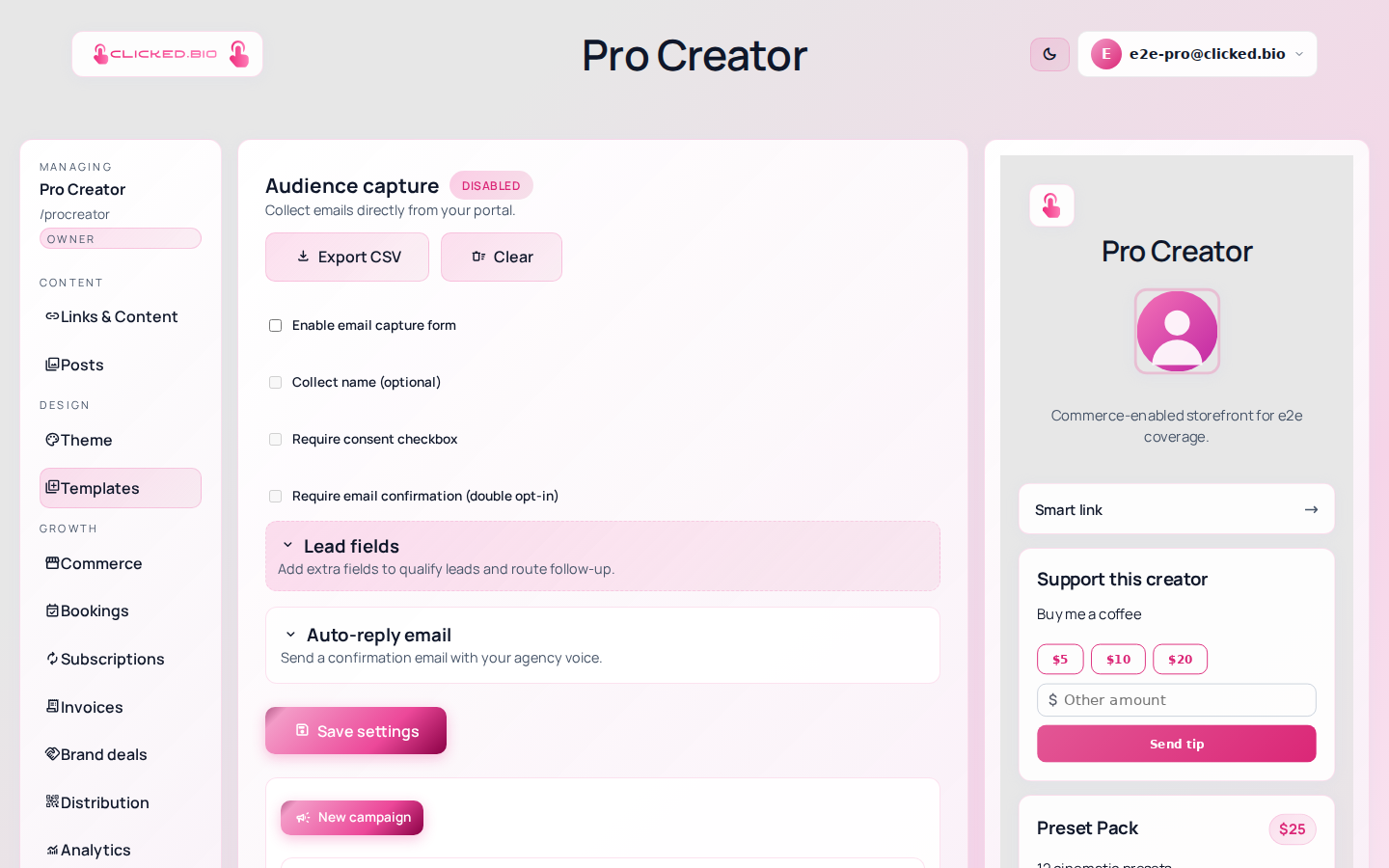
Open Audience in the editor and tick Enable email capture form. A sign-up form appears on your page straight away. Everything else on that panel — the name field, the consent checkbox, the confirmation email, the extra questions — is optional, and you can add it later.
Why an email list is worth collecting#
An Instagram follower is not yours. If the account gets restricted, or the algorithm changes, or you lose access to it, the audience goes with it. An email list is the only part of your audience you can take somewhere else.
You can export yours to CSV whenever you want. No plan, including Free, locks that.
Turn on the email capture form#
-
Turn the form on
Audience → Enable email capture form. That is the whole minimum.
-
Decide whether to ask for a name
Collect name (optional) adds a name field. Every extra field costs you sign-ups, so only ask if you will genuinely use it.
-
Turn on consent
Require consent checkbox makes people actively agree before subscribing, and you write the wording in Consent text. If you have subscribers in the EU or UK, you need this. Even where you do not, it is the difference between a list that opens your emails and one that reports them.
-
Consider double opt-in
Require email confirmation (double opt-in) sends a confirmation link, and the address only joins your list once it is clicked. You will collect fewer addresses, and the ones you keep will be real. It also keeps out the typos and the throwaway addresses that quietly wreck your deliverability.
-
Add extra questions, if you need them
The custom fields section lets you ask up to seven more things. Useful for a country, a shirt size or how they found you. Not useful as a survey. People abandon long forms.
-
Save, then sign up yourself
Use a real address. If double opt-in is on, check the confirmation email arrives.
Getting your contacts out#
Export CSV at the top of the panel downloads everyone, with whatever fields you collected. It works on every plan.
On Pro and above you can also sync automatically to Mailchimp, ConvertKit or Klaviyo, so your list stays current in the tool you already send from.
How many contacts you get#
Free holds 250 contacts and Starter 1,000. Pro and above are unlimited. Contacts are pooled across all your pages rather than counted per page. Current numbers are on the pricing page.
Free is capture-only: you can collect addresses and export them, but campaign sending starts at Starter.
Unsubscribes and suppression#
Every campaign carries an unsubscribe link, and unsubscribes are handled for you. Addresses that unsubscribe or hard-bounce go onto a suppression list and stop receiving mail, including if they are re-imported later. You can see that list on the same panel.
This is not optional and cannot be switched off. Sending to people who asked you to stop is how a sending domain gets blocked.
If something is not working#
- The form is not on your page Check Enable email capture form is ticked and that you saved. The form renders where the capture block sits in Links & Content.
- Someone signed up but is not in the list With double opt-in on, they are not a contact until they click the confirmation link. Unconfirmed sign-ups do not count.
- Confirmation emails are not arriving Check spam first. If it is a recurring problem, verify your own sending domain under Integrations. Mail sent from your own domain lands better than mail sent from a shared one.
- You have hit your contact limit New sign-ups stop being stored. Export what you have and upgrade, or clear contacts you no longer need.