Create your first page
Signing up creates your page for you, so there is nothing to set up from scratch. You give it a name, add your links, and it is already live at clicked.bio/yourusername. There is no separate publish button — the page exists from the moment your account does.
Pick your username carefully#
The username you choose at signup becomes your web address. clicked.bio/mia is what goes in your Instagram bio, so pick the handle people already know you by rather than something clever.
You can change it later under Profile, but the old address stops working the moment you do. Anyone who saved the old link, and anyone who printed it on a flyer, lands on nothing. Get it right the first time if you can.
Build your first page, step by step#
-
Open your dashboard
After signing up you land on Portals. Your page is already there. Click Manage on it.
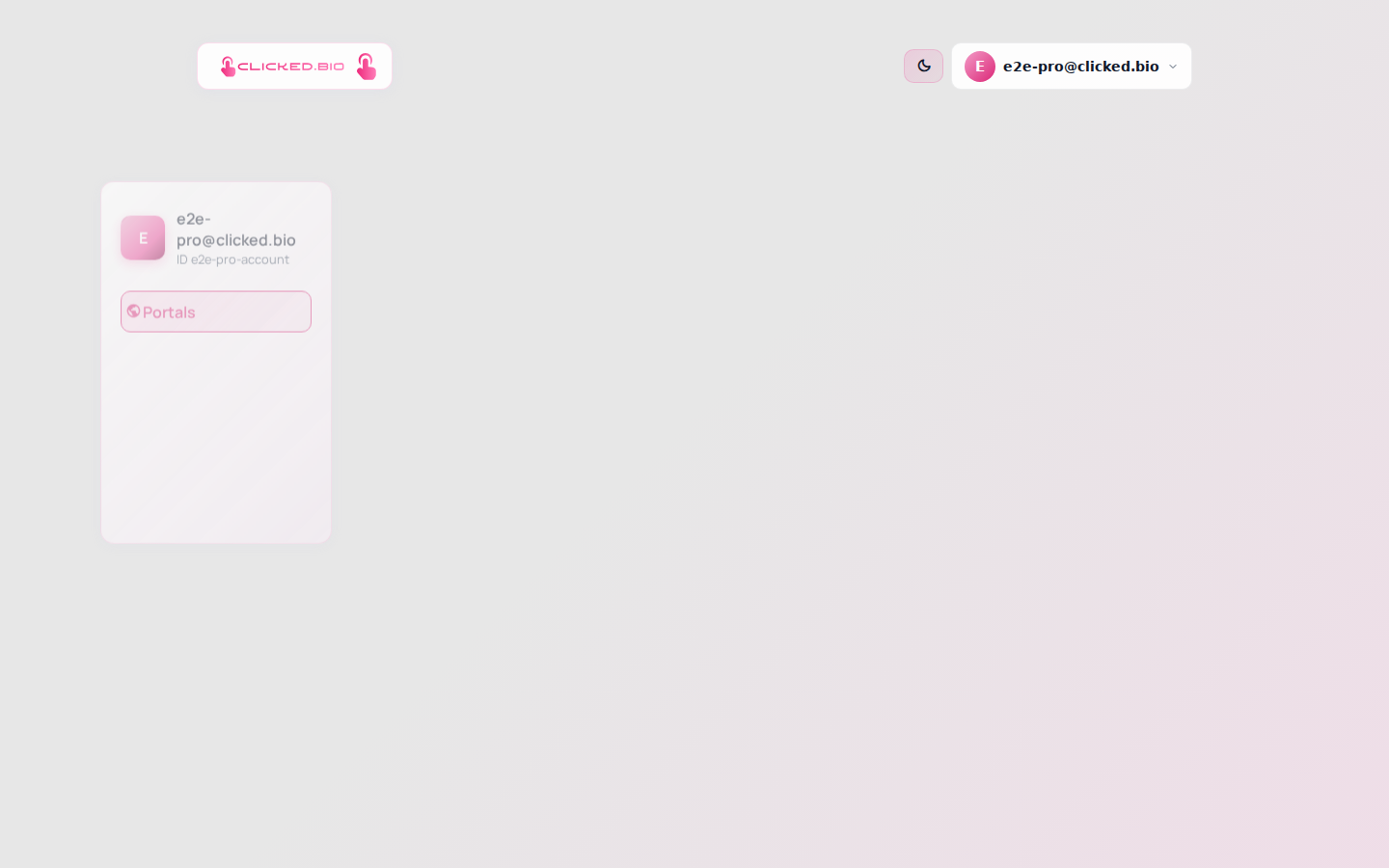
Your pages, newest first. Manage opens the editor. -
Get your bearings in the editor
Panels run down the left. The preview on the right is your actual page, and it updates as you work, so you never have to guess how a change will look.
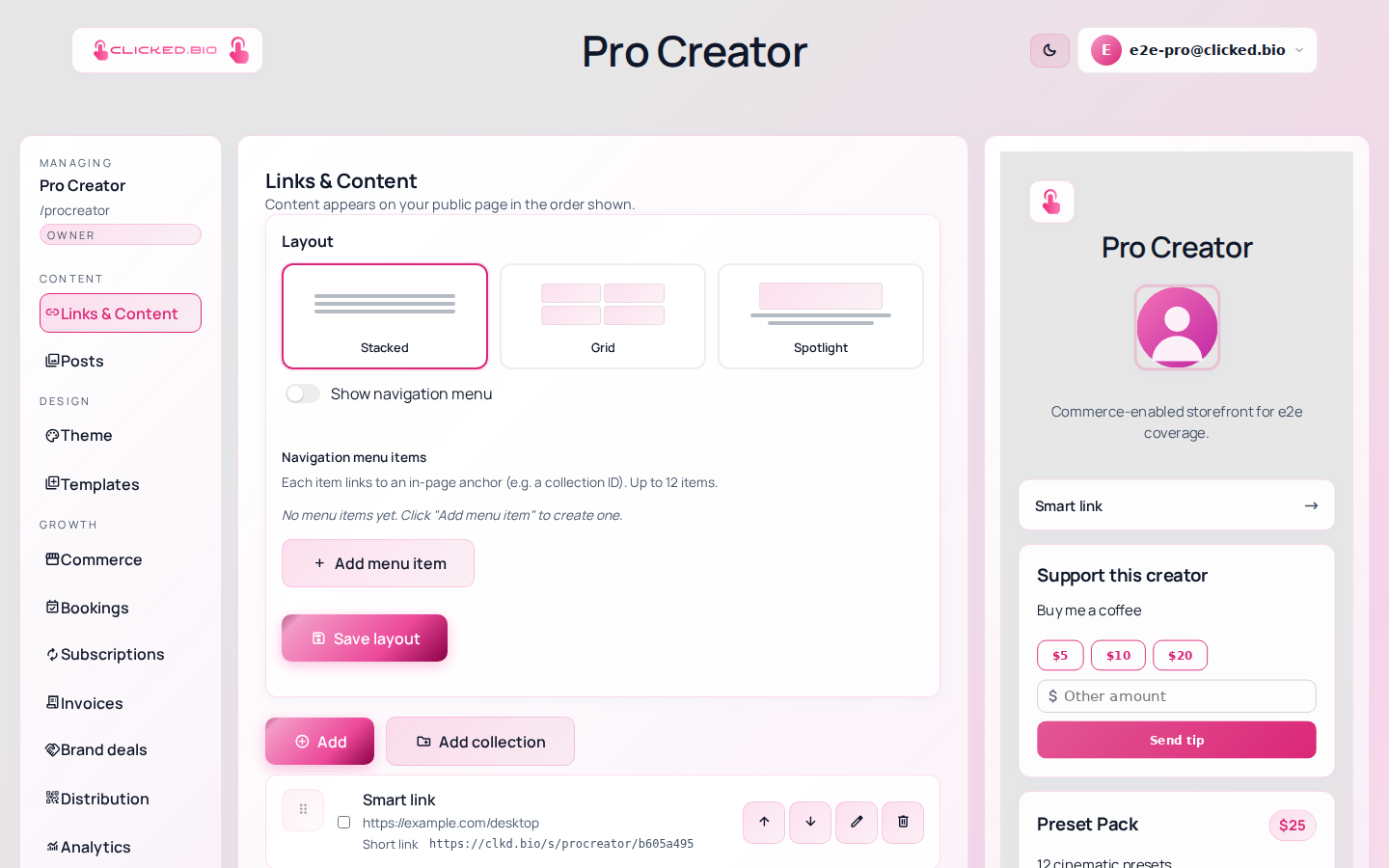
Panels down the left, a live preview on the right. -
Set your name, bio and photo
Click Settings at the bottom of the panel list. That opens Edit portal, which holds your page name, your bio and your avatar. Keep the bio to a line or two. Visitors are reading it on a phone, halfway through scrolling something else.
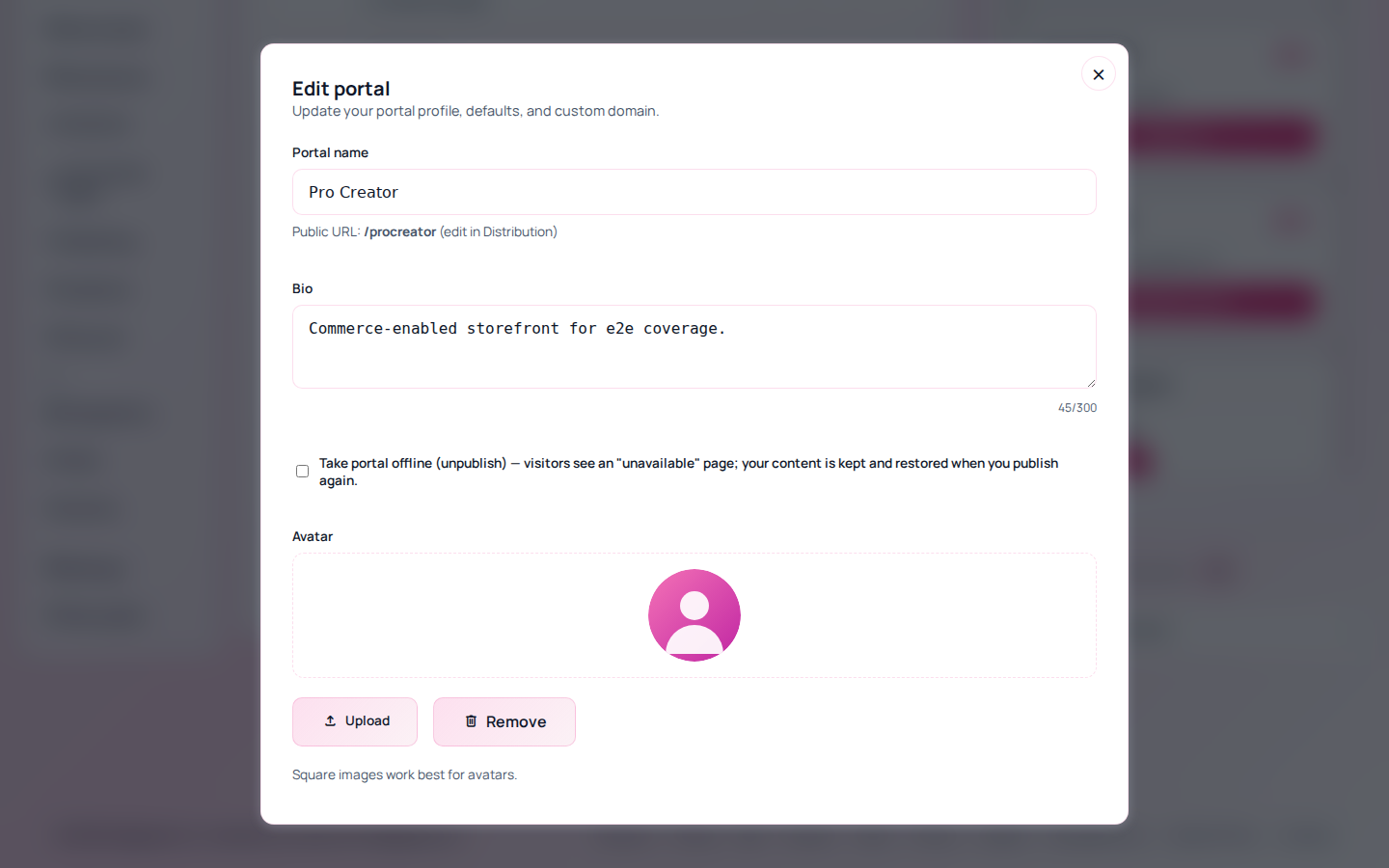
Edit portal: your page name, bio, avatar and the publish switch. -
Add your links
Go to Links & Content and click Add. Start with three or four destinations you actually want clicks on. A page with twenty links gets fewer clicks per link than a page with four, because visitors stop reading.
Adding links and blocks covers the block types in detail.
-
Look at it on a phone
Click View public at the bottom of the panel list to open your real page in a new tab. Then open it on your phone. Almost every visitor arrives from a phone, and things that look balanced on a laptop often do not.
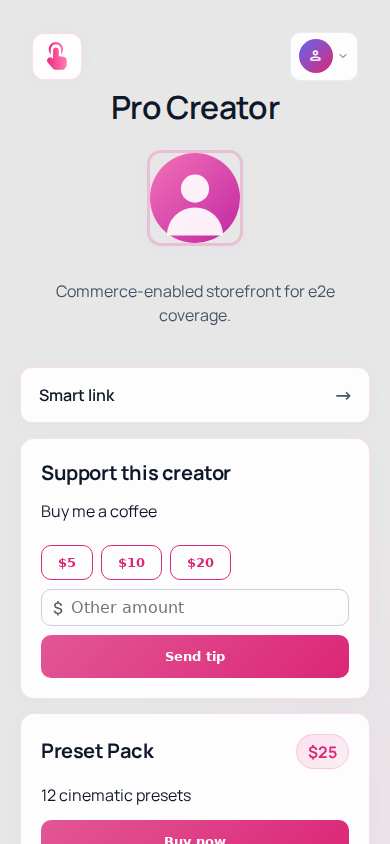
The same page on a phone, where nearly every visit happens.
Changing your web address#
Your page URL lives under Distribution, in the Username field. That is the one to edit if you want clicked.bio/mia-makes rather than the handle you signed up with.
On Starter and above you can put the page on a domain you own instead. See using your own domain.
How many pages you get#
Free and Starter include one page. Pro includes five, Agency a hundred. All of them are managed from the same login, so running several does not mean juggling several accounts. The pricing page has the current numbers.
If something is not working#
- Your page shows an "unavailable" message Open Settings and check Take portal offline (unpublish). If that box is ticked, visitors see the unavailable page. Untick it and save. Nothing you wrote is lost while it is offline.
- Your changes are not showing on the public page Check that you clicked Save in whichever panel you were editing. The preview updates before you save; the public page updates after.
- The username you want is taken Handles are first come, first served, and some are reserved because they clash with parts of the site. There is no way to reclaim one from another account.
Next: connect Instagram so your posts come across automatically.